Reels · Hindi · AI voice · How-to
How to Make Reels with AI Voice in Hindi (Step-by-Step Guide)
Make Reels with AI voice in Hindi in minutes: write or AI-write a script, pick a Hindi voice, get word-by-word captions and download Reel + YouTube. No editing.
4kmotion team24 Oct 2026 6 min read

Want to make Reels with AI voice in Hindi but don't want to record your own voice, learn editing software or hire an editor? This guide shows you how to go from a few lines of text to a finished Reel, with a natural Hindi voiceover, word-by-word Hindi captions and motion graphics, in a few minutes. The same steps work for YouTube Shorts and for a full 16:9 YouTube video.
We'll use 4kmotion, an Indian tool built for exactly this, but the script tips in this guide help whichever tool you use.
Why AI voice Reels in Hindi work
Most people in India scroll in Hindi or Hinglish, not in textbook English. A Reel that speaks their language feels personal, and a clear voice holds attention far better than silent text.
An AI voice also fixes the three things that stop most small businesses and creators from posting:
- No recording. No mic, no quiet room, no retakes because a scooter honked outside.
- No editing. No timeline, no keyframes, no typing captions by hand.
- Same quality every time. Your 20th Reel sounds as clean as your first.
What you need before you start
- A short message: an offer, a tip, a new product, an announcement.
- Your logo and brand colours (optional, but they make every video look like yours).
- A few minutes.
That's it. No software to install; everything runs in your browser, on a phone or a computer.
How to make Reels with AI voice in Hindi: step by step
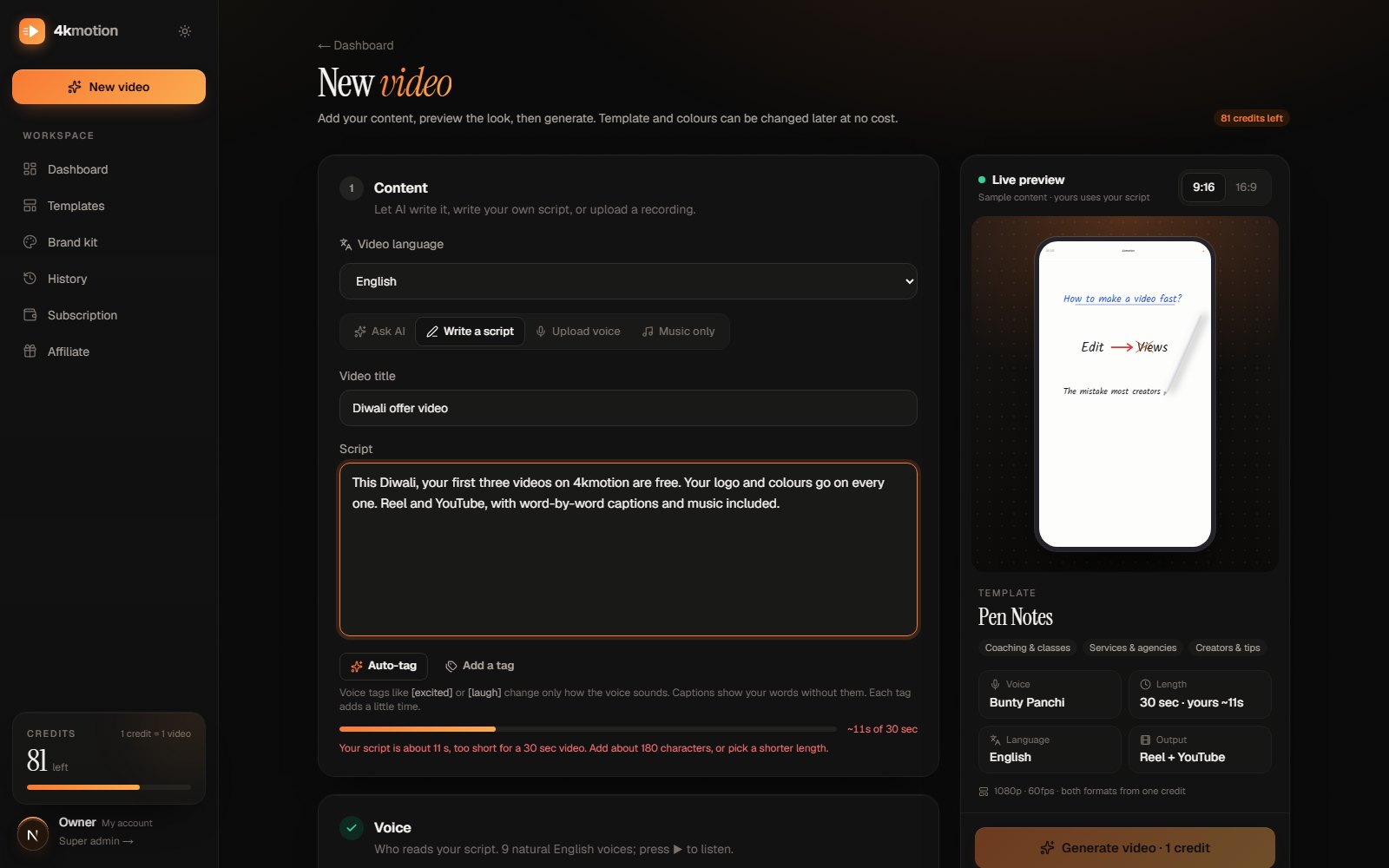
1. Write the script (or let AI write it)
Open the Create page and choose your video language: Hindi. Then either:
- Write a script yourself, in Hindi or Hinglish, or
- Ask AI: type your idea (for example, “Diwali offer for my sweet shop, 20% off on kaju katli”) and the AI writer drafts a script that fits your video length. You can change any word before you make the video.
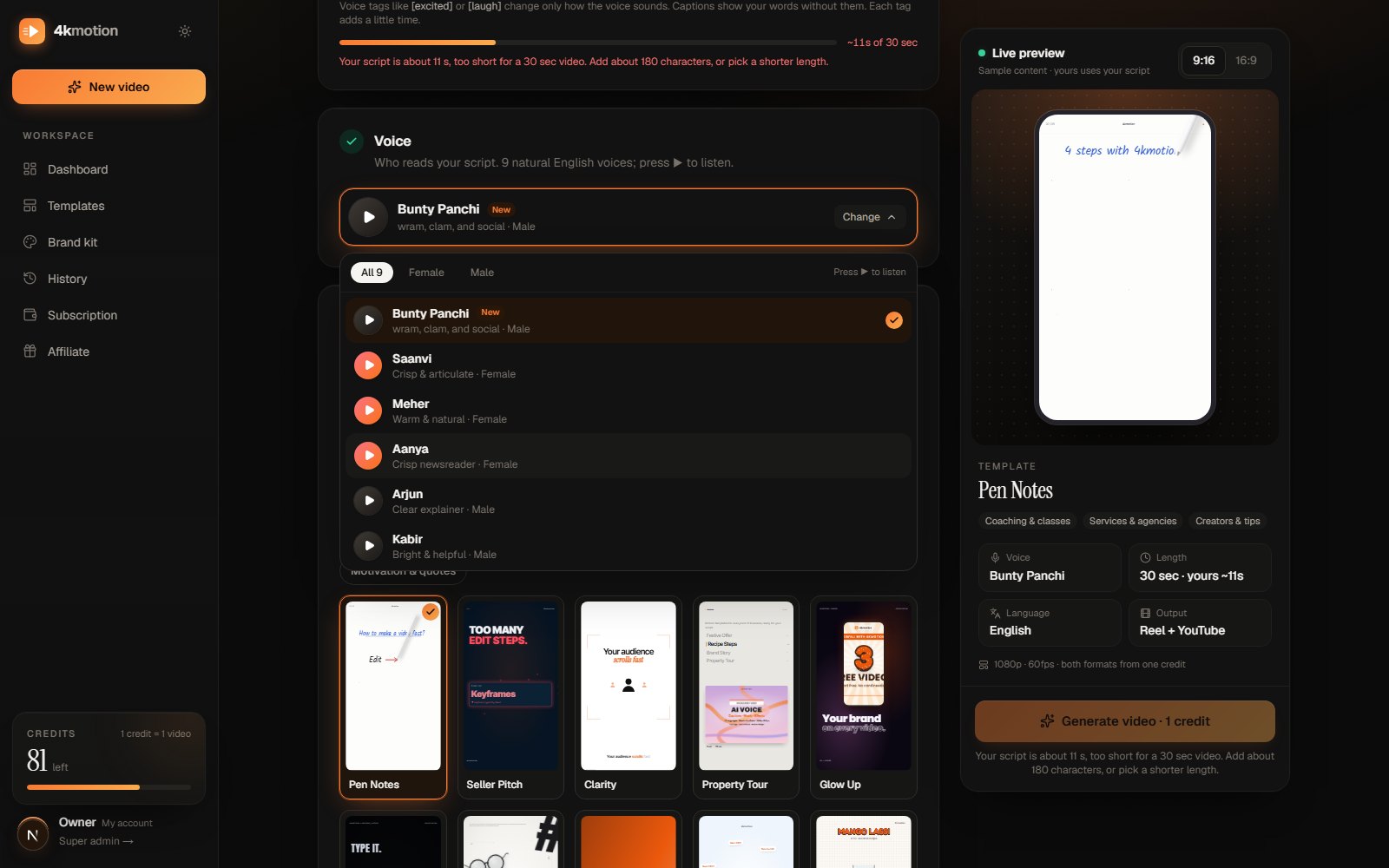
2. Pick a Hindi voice
Choose from natural male and female Hindi voices, from calm and warm to energetic. Press ▶ next to any voice to hear a sample before you pick it. On paid plans you can even clone your own voice (with your consent) and use it in every video.
3. Choose the length
Pick 15 seconds, 30 seconds, 1 minute or 2 minutes. Each template is made for set lengths, so your words always fit the design instead of being squeezed or stretched. For Reels, 15–30 seconds is usually enough for one clear message.
4. Pick a template
Choose a motion template made for your kind of business: offers and sales, food and recipes, salons, coaching, real estate, events, tutorials and more. The AI places your words inside the design, scene by scene, timed to the voice.
5. Add your brand
Use your saved brand kit (logo and colours, on paid plans), set a name and colours just for this video, or skip branding. Your logo and colours then appear across the video.
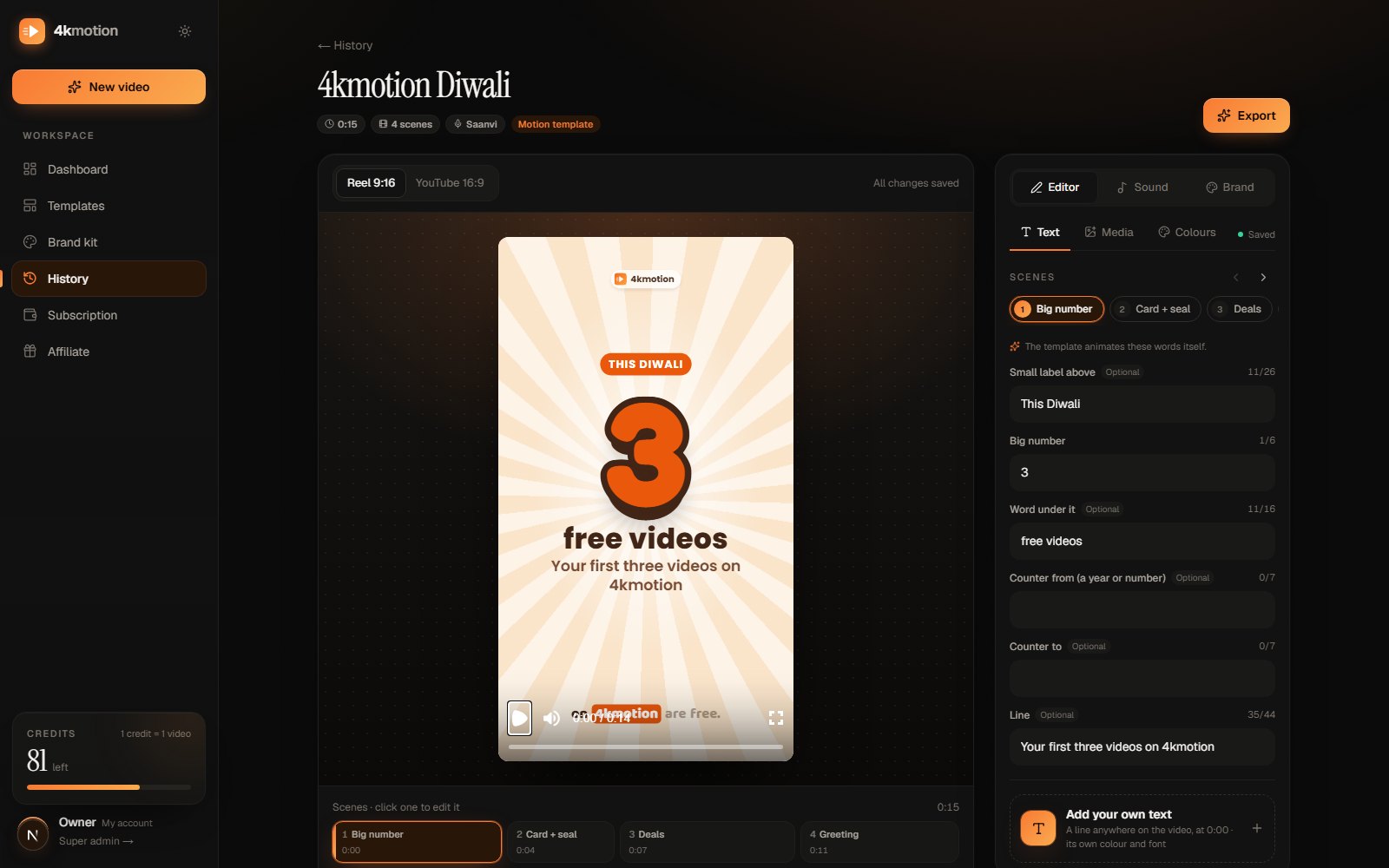
6. Make the video and download both formats
Press the button and wait a few minutes. You get two videos from one script:
- Reel / Shorts: 9:16, for Instagram Reels, YouTube Shorts and WhatsApp Status
- YouTube: 16:9, for your channel or website
Both are 1080p at 60 fps, with word-by-word captions in Hindi (Devanagari), so people who watch on mute still get your message.
How to write a Hindi Reel script that people watch till the end
The voice and the design matter, but the script decides whether people keep watching. Use this simple shape:
- 1Hook (first 2 seconds): a question or a bold line. “Mithai lene ka soch rahe ho?”
- 2The point: one offer, one tip or one idea. Not five.
- 3Proof or detail: a price, a date, a place, a benefit.
- 4Call to action: what to do now. “Aaj hi shop pe aao” or “Link bio mein hai.”
Example: a 30-second Reel script for a sweet shop (Hinglish)
दिवाली आ गई है! और मिठाई का प्लान अभी तक नहीं बना? Sharma Sweets पर इस दिवाली हर डिब्बे पर 20% की छूट। काजू कतली, रसगुल्ला और सोन पापड़ी, सब ताज़ा, रोज़ बनता है। ऑर्डर पर फ्री होम डिलीवरी भी। तो देर किस बात की? आज ही Sharma Sweets आइए, या WhatsApp पर ऑर्डर कीजिए।
A few things make this script work:
- Short sentences. One idea per sentence is easier to hear and easier to read in captions.
- English words in English letters. Write “WhatsApp”, “offer” or “delivery” as they are; the voice reads them naturally and the captions look right.
- Numbers as digits. “20%” reads better on screen than “bees pratishat”.
- The name at the end. If your script ends with your brand name, a logo scene can close the video.
Common mistakes to avoid
- Too much text for the length. About 1–2 short lines per 5 seconds is a good guide. If the tool says the script is too long for the length you picked, cut words instead of picking a longer video you don't need.
- No hook. If the first line is "Namaste doston, aaj hum baat karenge…", most people have already scrolled.
- Five offers in one Reel. Make five Reels instead; each one gets its own chance to be seen.
- Forgetting the call to action. Tell people exactly what to do next.
- Using copyrighted songs. They can get your video muted or blocked. 4kmotion includes background music and sound effects made by 4kmotion that are free to use in your videos.
Not only Hindi: 11 more Indian languages
The same steps work in English, Marathi, Bengali, Tamil, Telugu, Kannada, Malayalam, Gujarati, Punjabi, Odia and Assamese. Captions appear in each language's own script, so a Tamil video shows Tamil captions and a Bengali video shows Bengali captions. If your customers speak more than one language, make the same Reel in each.
Frequently asked questions
Do I need to record my own voice?
No. You pick an AI voice and it reads your script. If you want, you can also upload your own recording, or clone your voice on a paid plan, but it's not required.
Can I write in Hinglish?
Yes. Write the way you speak: Hindi in Devanagari and English words in English letters. The voice reads both naturally.
How long does it take to make one Reel?
Usually a few minutes from script to download. Most of that is the video being made; your part is writing a few lines and picking a voice and a template.
Will the captions be in Hindi?
Yes. The captions follow the voice word by word, in Devanagari, so the word being spoken is always on screen.
Can I change the words after the video is made?
Yes. On paid plans, the editor lets you change the on-screen words and colours of your video without starting again.
Is it free to try?
Yes. New accounts get free credits to make their first videos, and no card is needed to start. See the plans and prices when you need more.
Make your first Hindi Reel today
Pick one message you want your customers to hear this week, an offer, a new arrival or a useful tip, and turn it into a Reel with a Hindi AI voice in a few minutes.